How to choose an AI email assistant for your team (2026)
By Dorian Detragiache (LinkedIn, opens in a new tab)11 min read

The best way to choose an AI email assistant for your team is to judge it by the people who receive your email, rather than by the minutes it saves the people who write it.
Most tools are sold on drafting speed because speed is easy to show in a demo. The costs arrive later and land on someone else: a message that needs a follow-up question, a reply that reads as cold, a client detail pasted into a tool nobody approved.
This guide covers five questions to put to any vendor, a two-week test you can run on your own messages, and where the main types of tool fit.
Disclosure: Unanimas, which publishes this article, makes Harmony, one of the tools discussed below.
Five questions to ask before you choose an AI email assistant
- Where does our email content go, and what happens to it there?
- Who is the tool writing for, the sender or the recipient?
- Will the result still sound like the person who sent it?
- Does it fit the mail clients and licences we already have?
- Can we test it on our own messages, judged by the people who receive them?
Why drafting speed is the wrong thing to measure
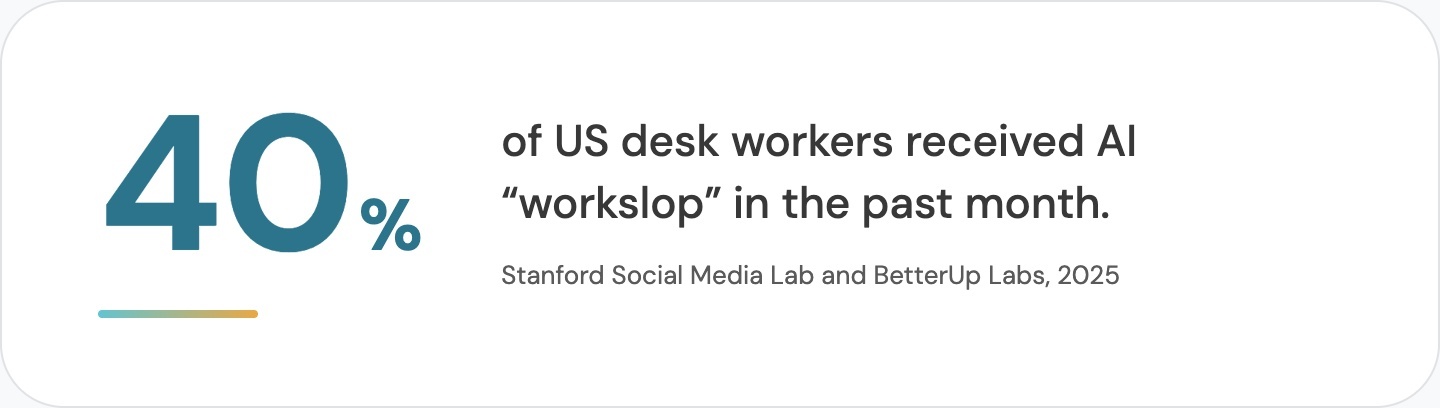
Faster drafting only helps if the message still does its job when it arrives. Research from BetterUp Labs and the Stanford Social Media Lab shows what it costs when it doesn't. In a September 2025 survey of 1,150 full-time US desk workers, 40% said they had received AI-generated "workslop" in the past month, meaning work that looks finished but leaves the reader to do the thinking. Respondents said each instance took about two hours to resolve. These are self-reported estimates from US workers, so read them as a sign of direction rather than a precise cost.
 Trust takes a hit as well. In a 2025 study, Peter Cardon and Anthony Coman asked 1,100 professionals to rate a manager's congratulatory email that they were told had been written with low, medium or high AI assistance. With low assistance, 83% saw the manager as sincere. With high assistance, that fell to between 40% and 52%. Employees were more accepting of AI for transactional messages than for ones meant to motivate or congratulate.
Where does your email content go?
Your team is probably using AI on email already, whether or not you've chosen a tool. In Microsoft and LinkedIn's 2024 Work Trend Index, a survey of 31,000 knowledge workers in 31 countries, 78% of AI users said they bring their own AI tools to work, rising to 80% in small and midsize businesses.
In 2023 Samsung banned employee use of generative AI tools after finding staff had uploaded sensitive code, citing concern that data sent to those platforms sits on external servers where it is hard to retrieve and delete.
In Australia, the OAIC's guidance on privacy and commercially available AI products says privacy obligations apply to any personal information entered into an AI system, and recommends that organisations don't enter personal information, particularly sensitive information, into publicly available generative AI tools.
When you assess a vendor, ask three separate questions:
- Is our content used to train models?
- Is it stored, and for how long?
- Where is it processed?
The answers can differ for the same product. A tool can keep your content out of model training and still store it, or process it outside Australia, which matters if your contracts require Australian data residency. Ask every vendor all three questions and get the answers in writing.
Who is the tool writing for?
Most AI email features help the sender produce a message: draft a reply, shorten a paragraph, make it more formal. That is useful for routine mail. It does less for the messages that go wrong, because those usually fail at the recipient's end.
Here is a hypothetical example. An operations manager writes to a supplier's account lead after a second late delivery:
"We need to talk about reliability. This can't keep happening.
Please advise what you'll do differently."
What the manager wants is a named contact and a revised delivery window by Friday. The account lead, reading it between other emails, may take it as the opening of a contract dispute and forward it upward, or reply with a general apology that answers nothing.
A tool that polishes the wording will produce a more professional version of the same ambiguity. What helps is something that notices the request has no deadline and no owner, and warns that the second sentence may read as a threat.
When you trial a tool, give it a message like that one and see whether it improves the grammar or the outcome.
Will it still sound like the sender?
People judge the sender as well as the message. In the Cardon and Coman study, respondents who were told a message had medium or high AI assistance began to question the sender's sincerity, caring, confidence and ability, and managers were judged more harshly than peers.
For a team, this means a tool should keep the sender's phrasing where it works, change only what needs changing, and show what it changed and why, so the sender decides what goes out. A tool that hands back a fresh draft in a generic voice leaves the recipient reading something that doesn't sound like the person they know.
Does it fit what you already run?
If your organisation runs on Microsoft 365 or Google Workspace, start with the assistant built into what you already pay for. For summarising threads, drafting routine replies and finding files, the built-in assistant may be enough, and a second tool means another vendor to assess and another privacy review.
A separate tool is worth adding when it does a job the suite assistant doesn't. Check it works in the clients your team uses, including webmail and desktop Outlook, and whether it covers the channels where your problems happen. If your worst misunderstandings happen in Teams or Slack, a tool that only works in email won't reach them.
A two-week test you can run on your own email
.jpg) Vendor demos use messages chosen to look good. Your own email is a better test, and any team lead can run this one.
Vendor demos use messages chosen to look good. Your own email is a better test, and any team lead can run this one.
- Collect ten recent emails from your team that caused trouble: a follow-up question, an unplanned meeting, a tense reply, or no reply at all. Strip out anything personal or confidential first, and check your AI policy before putting real messages into a tool you haven't approved.
- Run each email through every tool on your shortlist and keep the original.
- Give the original and each rewrite, unlabelled, to two or three people who sit in the recipient's role.
- Ask them three questions. What is being asked of you? By when? How does the sender come across?
- Score each version on how closely readers agree on the first two answers, and on how they describe the sender.
- Ask the original senders whether each rewrite still sounds like them.
Record time saved per draft too, but give it less weight than whether the recipient understood the message.
When an AI email assistant won't help
Some email problems aren't writing problems. If a request is unclear because nobody has decided who owns the work, a better-worded email passes the confusion on more politely.
The same goes for workloads that leave people no time to read properly, teams that use email to avoid a difficult conversation, and politics that make any message from one department suspect.
Look back at your ten troublesome emails and count how many were caused by the wording. If the answer is two, fix the other eight first.
Where the main options fit
The table describes types of tool rather than specific products, and we haven't tested every option in each group.
|
Option |
Good fit when |
Check before you buy |
|
Assistant built into your suite (Copilot, Gemini) |
You want drafting, summaries and search inside apps you already license |
Retention, processing location and which models are used, as well as training |
|
Personal AI chatbots |
Individuals experimenting with non-sensitive text |
Content leaves your organisation's control; the OAIC advises against entering personal information |
|
Standalone writing assistants |
You want grammar, tone and polish across apps |
Whether it changes wording or meaning, and where text is processed and stored |
|
Communication intelligence tools such as Harmony |
Misread emails are costing time, rework or trust |
A narrower job, and another vendor to assess |
Where Harmony fits
Harmony by Unanimas is a communication intelligence tool that writes for the person receiving the message, keeping the sender's intent and voice. It runs as a sidebar in Gmail and Outlook and works on the draft before it's sent.
It has two parts. The Lens reads what the sender is trying to achieve, then weighs how the recipient is likely to read the message and where it could go wrong, such as a vague request with no clear next step or urgency that may read as blame. The Bridge then rewrites the message for the recipient, keeping that intent and voice. It offers more than one version, explains what it changed, and lets the sender keep their original draft.
Personal information, payment card data and IP are sanitised locally before anything is sent to Harmony's cloud engine, which runs on AWS in Australia and doesn't retain personal information. Vanta implementation is underway, and auditors have been engaged for SOC 2 Type 1 and ISO 27001. Neither certification is complete yet.
FAQs: How to choose an AI email assistant for your team
What is an AI email assistant?
An AI email assistant is software that uses a language model to help you write, edit, sort or summarise email. Some are built into your email suite, some are separate add-ins or apps, and some are general chatbots people paste email into. They differ most in what they're designed to improve and in what happens to your content.
Is it safe to use ChatGPT or other public chatbots for work email?
That depends on your organisation's policy and on what's in the email. The OAIC recommends that organisations don't enter personal information, and particularly sensitive information, into publicly available generative AI tools. In our view, if staff are already doing it, an approved tool with clear data handling works better than a ban nobody follows.
Do AI email assistants use our emails to train their models?
It depends on the vendor and the plan, so ask each vendor directly and get the answer in writing. Training is only one question. Ask separately how long your content is kept and where it's processed.
Will people know our team used AI to write an email?
Sometimes, and it changes how they see the sender when they do. In Cardon and Coman's 2025 study, people who were told a manager's email had medium or high AI assistance rated the manager as less sincere and less caring. Writing the substance yourself and using AI to check and adjust it carries less of that risk, especially for messages meant to thank, motivate or apologise.
How do we measure whether an AI email assistant is working?
Measure what happens after the email is sent. Useful signals include fewer clarifying replies, fewer meetings called to explain an email, and whether recipients can state the request and deadline in their own words. Time saved per draft is easy to measure but says little about whether the message worked.
Do we need a separate tool if we already pay for Copilot or Gemini?
Not necessarily. If your needs are drafting, summaries and search inside one suite, the built-in assistant may cover them. A separate tool makes sense when it does a specific job the suite assistant doesn't, and that job is worth another vendor assessment.
Whichever tools you shortlist, judge them on whether the people reading your team's email understood it. If misread emails are behind your slow threads and tense replies, put Harmony in your two-week test and see how the Lens and the Bridge handle one of your own drafts.